

Table of Contents
User problem and why it shows up
Folks run into port mismatch on small unmanaged 4‑port edge switches when cable types, transceivers, or devices talk different languages — like one side forcing 1000BASE‑T while the other side’s stuck at 100BASE‑TX. If you plug an SFP module and expect copper behavior, you might need a sfp to rj45 transceiver to bridge that gap. Real-world anchor: during a Port of Los Angeles container terminal expansion, crews kept seeing intermittent drops because switches with mixed SFP and RJ45 setups weren’t matching duplex and link speed properly. That kind of mess shows how small edge gear can trip big operations if you ain’t checking the hardware and basic auto‑negotiation settings.

Diagnose fast — what to look for first
Start simple. Check LED patterns, confirm link speed on endpoints, and verify cable type. Look for mismatched duplex or forced speeds on attached devices. Use an SFP RJ45 copper transceiver when you need an SFP slot to accept copper cabling without altering the line protocol. Keep your tools ready: a short cable tester, spare copper transceiver, and a laptop that can show negotiated link speed and duplex. Those few items often point straight to the root cause.
Step‑by‑step fixes that actually work
First, swap the cable and retest — sometimes the cable’s the problem. If link still flaps, pull the SFP and try a native RJ45 port or insert a known good sfp to rj45 transceiver. Next, check auto‑negotiation: unmanaged switches rely on it, so any endpoint forcing a speed causes mismatch. Where you can configure the endpoint, set it to auto‑negotiate and let the switch settle the link. If you got PoE devices, confirm the switch supports PoE and the power draw stays within spec. Finally, consider link aggregation only when ports are matched and stable — aggregation on mismatched ports just spreads instability.

Common mistakes folks make — and how to dodge ’em
People assume identical ports always behave same — nah. Mixing SFP optics and copper transceivers without checking module compatibility is standard rookie behavior. Another frequent slip: trusting LEDs as sole proof of healthy link. LEDs lie sometimes — they tell you there’s physical connection but not whether duplex and speed match. Also, using cheap third‑party SFPs without testing can introduce flapping. Test new modules during low‑impact hours; keep a known good spare to compare — that saves lots of sweat.
Quick checklist before you call support
– Confirm link speed and duplex on both ends (100/1000, full/half).
– Swap in a verified sfp to rj45 transceiver to check SFP slot behavior.
– Replace cable and re‑test for stable link LED and consistent throughput.
– Verify PoE budget when powering cameras or access points.
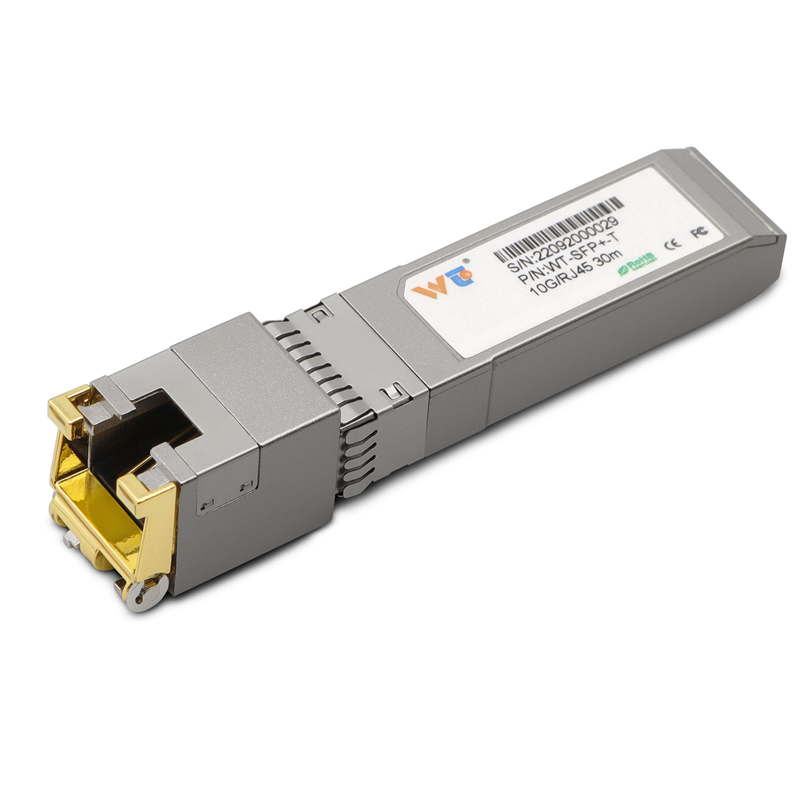
– Document any forced settings on endpoints so future techs ain’t guessing.
Advisory — three golden rules for keeping ports behaving
1) Always match physical medium: use compatible SFP modules or a certified SFP RJ45 copper transceiver when bridging fiber and copper. 2) Keep auto‑negotiation enabled on both sides unless you got a documented reason to force speed/duplex. 3) Validate with tools: a cable tester and a known good transceiver reduce mean time to repair dramatically. Apply these and you’ll see fewer link drops and clearer root causes.
Summing up: small unmanaged 4‑port edge switches can cause outsized headaches if you don’t check cabling, transceiver compatibility, and auto‑negotiation. My own crew fixed a production VLAN hiccup at a Detroit fabrication shop by swapping in a tested copper transceiver and re‑enabling auto‑negotiation — problem solved in under an hour. That hands‑on fix is the kind of practical value WINTOP brings to field ops — dependable gear that just works. —
